How we built agents that understand the language of product analytics
Jacob Newman and Nikhil Gangaraju share our learnings from the last 6 months of building and operating Amplitude Agents in production

This blog post was co-authored by Nikhil Gangaraju, PMM lead for Agents at Amplitude
Before your best analyst writes a single line of SQL, they've already done work that no query can capture.
They’ve remembered that "user signups” was defined as a “conversion event.” They’ve checked whether last week's experiment shifted traffic to a variant with a different signup flow. They've mentally excluded the iOS cohort because the SDK update last Tuesday changed how onboarding_finish fires, and the data hasn't been reprocessed yet. They've recalled that the number in the official dashboard uses a filtered definition that strips out internal employees.
Much of this information requires stitching together the right events, segment definitions, experiment history, and platform-specific behavior unique to that business. An experienced analyst knows where to look and what relationships matter. Their personal context becomes an extremely valuable part of analyzing product data.
Now hand that same question to an AI agent that generates SQL against your warehouse. It has none of that context about how the product works. It sees columns and tables. It generates a syntactically valid query. It returns a number. The number is precise, returned quickly, and wrong in ways that are often impossible to catch without already knowing the answer.
AI agents promise to collapse the analysis workflow. The promise is real, but in practice, they just generate SQL faster with little understanding of what the data actually means.
Starting with the context problem
One of our earliest challenges building Agents was the cold-start problem. Agents need good context to accurately answer real-life product questions.
Every event, funnel, cohort, experiment, and taxonomy definition that our customers create through normal product usage creates context that agents can draw on. When a product team builds a chart tracking onboarding conversion, that definition becomes available to agents. When they define a cohort of "power users," agents can reference it. When they run an experiment, the relationship between the treatment and the outcome gets captured structurally. All the work that teams do to make data more usable for their own analysis also ends up improving the way agents think.
We leaned into this idea that the more a team uses Amplitude, the more context their agents should gain about its events, metrics, dashboards, and taxonomy with no additional semantic engineering required. So we set out to build agents that reason in the language of product analytics.
The difference is most obvious on hard questions, the ones that offer the most value to your business. You need to know why your performance is changing and what to do next. You need to ask follow-up questions and explore different hypotheses. That type of analysis needs a high volume of well-structured behavioral context. Someone on your team can deliberately build that, or you could use a platform that has been quietly accumulating that context.
Amplitude is the semantic layer
The concept is simpler to explain than to build: Amplitude itself is a semantic layer, and it grows as customers use it. So here's what that actually means in practice
Raw data sources
The raw taxonomy includes event names, property names, and their descriptions. Usage metadata captures how often each event is queried, its ingestion volume, and where it appears across the platform.
Charts and dashboards carry titles, descriptions, and context about what they measure. Dashboards get marked as official. We track how frequently content is viewed, by whom, and how recently.
Experiments, notebooks, cohorts, and every part of the platform that references events and properties add another layer of structured meaning.
Then there's the context customers bring themselves: product documentation, organization-level descriptions, project-level notes about data quirks and naming conventions. All of it feeds into the same pool.
Semantic metadata
What makes this useful for agents is what happens next. Our embedding model runs across all of these raw taxonomy sources to categorize and tag taxonomy data with what we call semantic metadata. We generate categories, descriptions, and reference tags that get captured in the embedding model for the Agent to access at query-time
There's no place in the product today where you can inspect the semantic metadata for a given event or property directly—that's a direction we're exploring—but for now it works behind the scenes to power agent reasoning.
Query time retrieval
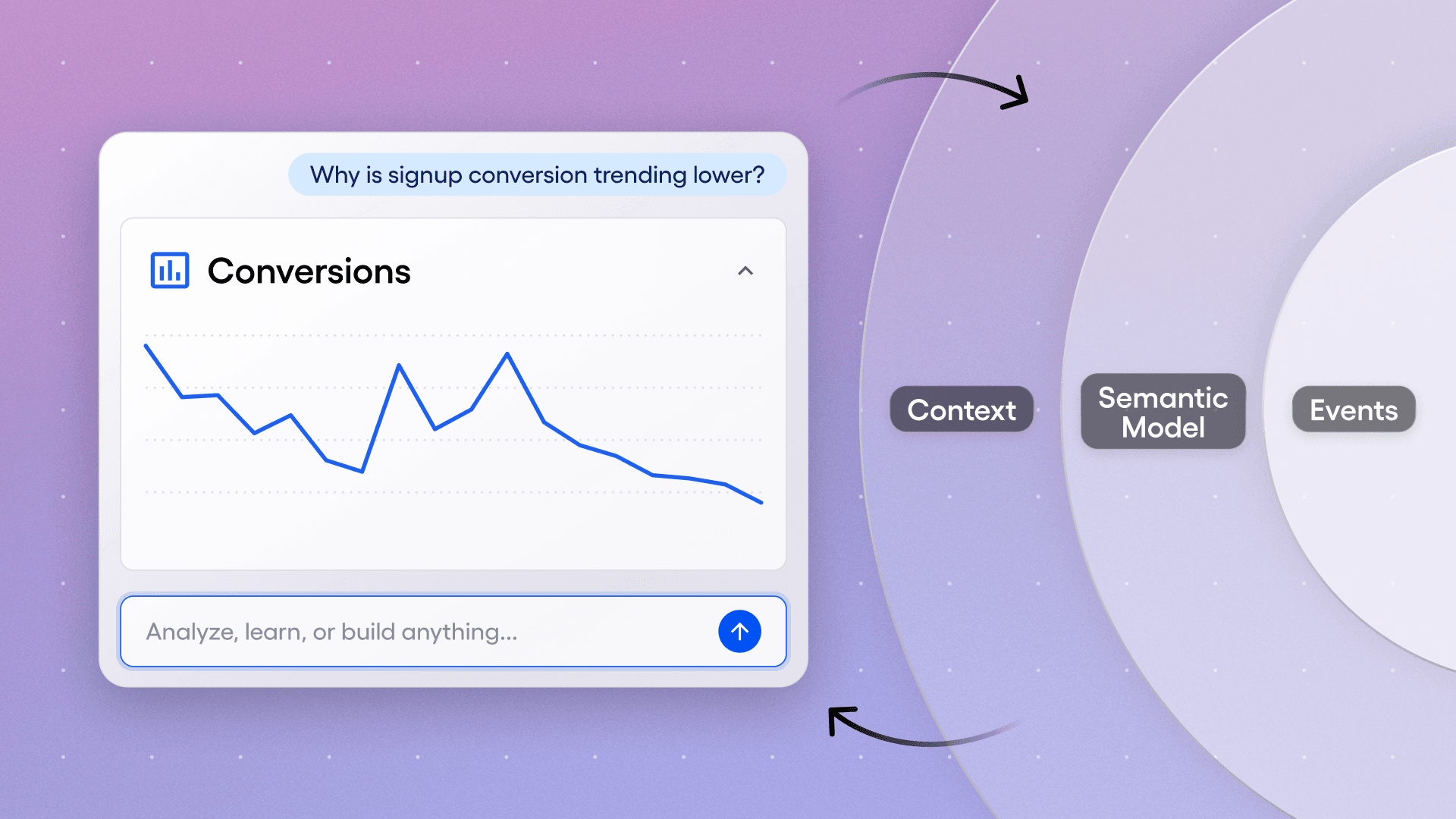
Here's how retrieval works at query time: When a user asks the Global Agent something like "show me why sign-up conversion is trending lower," the taxonomy agent draws on an embedding model built from every chart and dashboard where someone has used the word "sign-up" or "conversion," along with the events and properties used in those charts. It also runs semantic search across the full taxonomy, finding that "registration" is a synonym for "sign-up," even if the event names don't contain those words.
One customer anecdote captures it well: a team noticed the AI was struggling on certain topics. So they created well-structured dashboards covering those topics, and they could see the AI improving on those questions in real time. Those dashboards became new sources of semantic truth—official content with governed definitions and usage patterns flowing straight into the context layer.
The semantic layer accumulates as teams work, and it compounds as they use the platform.
Inside the agent harness
Everything starts with the user's prompt, but the next thing the system does is assemble existing context. The agent's context window includes the system prompt (which we control), plus any organization- or project-level custom context the customer has added. It also picks up the page context: if you open the agent on a dashboard, it knows what dashboard you're looking at. It also has the full chat history, so on the seventh turn of a conversation, the agent has the context of what you've already discussed.
All of that gets sent to the LLM, where the agent begins using our MCP tools and sub-agents to handle the task. It starts by interpreting the intent of the question, plans which tools to call in which order, executes that plan, and synthesizes the result.
At the end, there are specific post-processing steps: interpreting the data in the context of the user's business, adding citations and links so users can verify the results, and generating follow-up questions so the agent can continue follow-up questions
Curating the right context
We learned early that semantic metadata, however rich, isn't always enough. Every business has its own terminology, seasonality, and data quirks. So we built a way for customers to add that context directly to the agent.
In Amplitude, there are several ways to enrich what the agent knows with context.
Organizational Context
At the organization level, you can describe your business, your goals, and seasonal patterns unique to your industry. For each of your projects you can also explain what a specific data project measures, flag naming conventions, or note specific instrumentation quirks.
Knowledge Base
We also built a knowledge base that the agent can use for retrieval-augmented generation, pulling context from uploaded documents as it works through an analysis. You can upload product strategy documents, data dictionaries, or anything that an analyst would normally have to dig out of a Google Doc to answer a question properly. For many teams, uploading a document is a faster path than filling out a 10,000-character text field.
The impact shows up fast at scale. One of our customers uploaded a 63-page data dictionary and automatically enriched descriptions for over 5,000 events and properties. When you're operating at that scale, document uploads are often the only way to get the context in place quickly enough to matter.
Organizational context and knowledge docs are great at capturing context that changes little and is broadly applicable to the org. However, we’ve also seen customers struggle to codify preferences, terminology, and certain nuances about data questions—across every conversation
Memory
To address these limitations, we are introducing memory.
Using Memory lets agents automatically learn from past conversations - especially those with explicit feedback from the user, especially when patterns, corrections, or preferences matter repeatedly. In addition, memories are assigned importance based on recency, reinforcement, and contradictions.
Runtime Context
Finally, at runtime we add context from the user prompt and the page from which the user is asking the question (e.g., chart name, chart definition, etc.). This is critical context that is necessary to ensure that the agent's responses are pertinent to the user's question.
Building A feedback loop for Agent reliability
Global Agent’s overall success across all analytics tasks, showing consistent improvement over time. The baseline of 9% represents best-in-class warehouse Text-to-SQL performance on multi-query production-grade workflows.
Building agents that work in production, where real users ask unexpected questions and a wrong answer erodes trust, is a problem. Analytics turned out to be one of the harder AI use cases to solve: customer data is messy, questions are ambiguous, and verifying insight can be hard when the question is open-ended.
Building an evaluation framework. We established an evaluation framework early, but what made it actually useful was tying it to specific, measurable analytics tasks rather than generic "did the agent help?" metrics.
We defined four categories of analytics work an agent should be able to do, arranged by increasing difficulty.
Descriptive (What happened?): Can the agent correctly describe user behavior across metrics, time periods, and segments?
Diagnostic (Why did this happen?): Can it do multi-step analysis, explore hypotheses, and identify plausible root causes?
Predictive (What will happen?): Can it forecast outcomes based on historical patterns and behavioral signals? And
Prescriptive (What should we do?): Can it recommend specific actions tied to the data?
Each one maps to the type of question a user actually asks, and each has clear criteria for what a correct answer looks like. We evaluated every response using an LLM-as-a-judge approach against human-defined criteria, scoring the percentage of responses that captured the desired insight.
Our baseline—the best we could do with a straightforward query tool pointed at the data—scored about 9% on realistic, multi-step production workflows. After six months of successive rounds of adding specialized sub-agents, refining context retrieval, and tuning infrastructure, the Global Agent reached 76% across all four task types. It now does well on descriptive and diagnostic work, with emerging capabilities on the predictive and prescriptive side.
Observability all the way down. Every agent interaction is instrumented: which tools were called, what context was injected, what the model reasoned through, and where things broke. A custom session viewer lets the team replay agent interactions step by step. This is how we closed the gap between what we thought users would ask and what they actually ask. We've written at length here about how we built agent analytics as our foundation for online evals.
Creating scalable economics for Agent workloads
When a human analyst runs a few dozen queries a day, infrastructure costs are manageable. Agents changed the math for us.
A single insight can trigger dozens of queries as the agent explores data, checks hypotheses, and refines its answer over iterative loops. Behavioral analytics queries often get compute-heavy: sessionization, funnel analysis, retention curves, path analysis, all require multiple joins across large event tables. Early on, we watched cost optimization for Agents become an ongoing engineering problem on top of the analytical work itself.
This is where our Nova engine made a real difference. Nova is Amplitude's proprietary behavioral model, purpose-built for these types of queries. It precomputes analytics primitives into a governed caching layer, which means the most expensive parts of product analytics queries (the joins, the sessionization, and the funnel step-matching) are handled before the agent ever asks the question.
To understand how much this actually mattered in practice, we ran cost comparisons on Nova against Snowflake on representative product analytics workloads, using real datasets from customers with different data volumes. We compared Nova against Snowflake on representative query types (event segmentation, multi-step funnels, and retention), using real datasets.
For each query, we ran the equivalent on Nova and on Snowflake warehouses of varying sizes (X-Small through X-Large), recording runtime, Snowflake-billed cost, and an AWS-equivalent compute cost for normalized comparison.
| Query Types | Query Use Cases |
| Event Segmentation | Count how many times an action happened, or how many unique people did it, optionally filtered to a specific audience and broken down by any user attribute like country, platform, or plan tier. |
| Multi-Step Funnels | Track what percentage of users complete each step in a defined sequence of actions and where they drop off within a set time window. |
| Retention | After someone performs an action, measure what percentage came back and did it again on each subsequent day showing whether the product brings people back. |
On average, Snowflake was 2x to 8x more expensive across all customer sizes and query types. The gap widened for larger data volumes and for more complex queries like funnels and retention. Getting Snowflake to its best-case performance also required meaningful data engineering work: clustering event tables to match query access patterns, extracting nested properties into queryable columns, etc.
We also didn't include that added ETL cost in the comparison. This test is assuming proper data prep/transformation. In use cases where that wasn't the case, we saw 15-65x increases in cost compared to Amplitude
Our Nova engine translates to agent-scale query volumes at predictable cost, with no per-query pricing that grows as agent workloads scale. Real-time ingestion also means agents work with current data. For a feature launch, or a revenue impacting experiment rollout where minutes matter, that can be the difference between catching a problem while users are still in session or discovering the issue after your conversion has tanked.
Asynchronous agents close the insight-to-action gap
Most analytics agents only work when you're sitting there asking questions. We think that's a bigger limitation than it sounds. Agents can run asynchronously, do work while you're in your next meeting, and pick up analytical workflows that would otherwise sit in a queue.
That's why we built Specialized Agents alongside our Global Agent, and why we invested in asynchronous form factors as much as the on-demand chat experience. The Global Agent is the on-demand expert: you ask a question, it analyzes your data, and takes action.
The Specialized Agents are where asynchronous work starts to show up. A Session Replay Agent can monitor your checkout funnel in the background, scanning new sessions continuously. One morning, it delivers an alert: "Mobile users on iOS are abandoning the payment page in under 8 seconds. 75% never scroll to the form. Three rage-click patterns detected on the primary CTA." The finding comes with evidence (session replay clips, quantitative breakdowns) and recommended next steps. Nobody had to check a dashboard or assign the work.
Agents can move between analysis and action without switching tools. An agent that finds a friction point in a funnel can pull up session replays showing why users are struggling, check whether an experiment is already testing a fix, or set one up if necessary.
We're ultimately building toward agents that own an analytical workflow from end to end: detect a signal, figure out what's causing it, and recommend what to do. The shift we care about is work that happens whether or not someone is watching.
What we've learned
Six months of building and operating agents in production has changed how we think about a few areas:
#1 The semantic layer matters more than the model.
Early on, we assumed that better models would be the main driver of agent quality. They help, but the largest jumps in accuracy came from enriching the context available to the agent, not from swapping in a more capable model. One customer taught us this directly: their team noticed the agent was weak on certain topics, built well-structured dashboards covering those areas, and watched accuracy improve in real time. That feedback loop now shapes how we think about the whole system. Invest in the semantic layer first, and model upgrades compound on top of it.
#2 Cost structure matters more than we expected.
If every agent query costs the same as a human-initiated query on a cloud data warehouse, agents become expensive fast. Nova's precomputed behavioral model turned agent-scale query volumes from a cost problem into a tractable engineering problem. Without that foundation, we'd be spending more time on cost optimization than on agent quality.
#3 Evaluation became useful when we grounded it in workflows customers care about.
Generic "helpfulness" scores told us almost nothing. The four-category framework (descriptive, diagnostic, predictive, prescriptive) gave us a shared language for what the agent should be able to do across customer workloads and became a concrete way to measure progress.
#4 The shift toward asynchronous work turned out to be a big unlock
Agents excel at monitoring, pattern detection, and hypothesis-checking that nobody has time to do manually. Specialized agents can own that workflow from end to end, and async form factors are how it happens.
Moving forward
We’re six months into this journey and one thing is clear: the system is compounding. Each round of improvement—richer semantic context, better-tuned sub-agents, tighter evaluation criteria—builds on the last. We're strongest today on descriptive and diagnostic work, with predictive and prescriptive capabilities improving with each iteration.
It’s still early days, but the trajectory is clear. Agents are becoming the primary interface for product analytics, and getting this right requires treating semantic context, evaluation rigor, and cost efficiency as first-class engineering problems.

Jacob Newman
Principal Product Manager, Amplitude
Jacob is a product manager at Amplitude, focused on the core analytics product. He began his career at startups in the ed-tech and recruiting space, where he learned to build products informed by data. Outside of work, you’ll find him listening to podcasts or getting lost in a sci-fi or fantasy novel.
More from JacobRecommended Reading

Your agent isn’t broken. It’s guessing.
Sep 23, 2026
6 min read

Bring headless Amplitude where you work
Sep 16, 2026
3 min read

Should I install the Amplitude SDK?
Sep 15, 2026
4 min read

Amplitude climbs to #3 in G2 Digital Analytics Momentum
Sep 15, 2026
10 min read