Introducing Amplitude wizard CLI: Set up Amplitude from your codebase
A one-command path to a fully instrumented Amplitude project, without leaving your terminal

This blog post was co-authored by Will Chin, Principal Product Manager at Amplitude.
TL;DR:
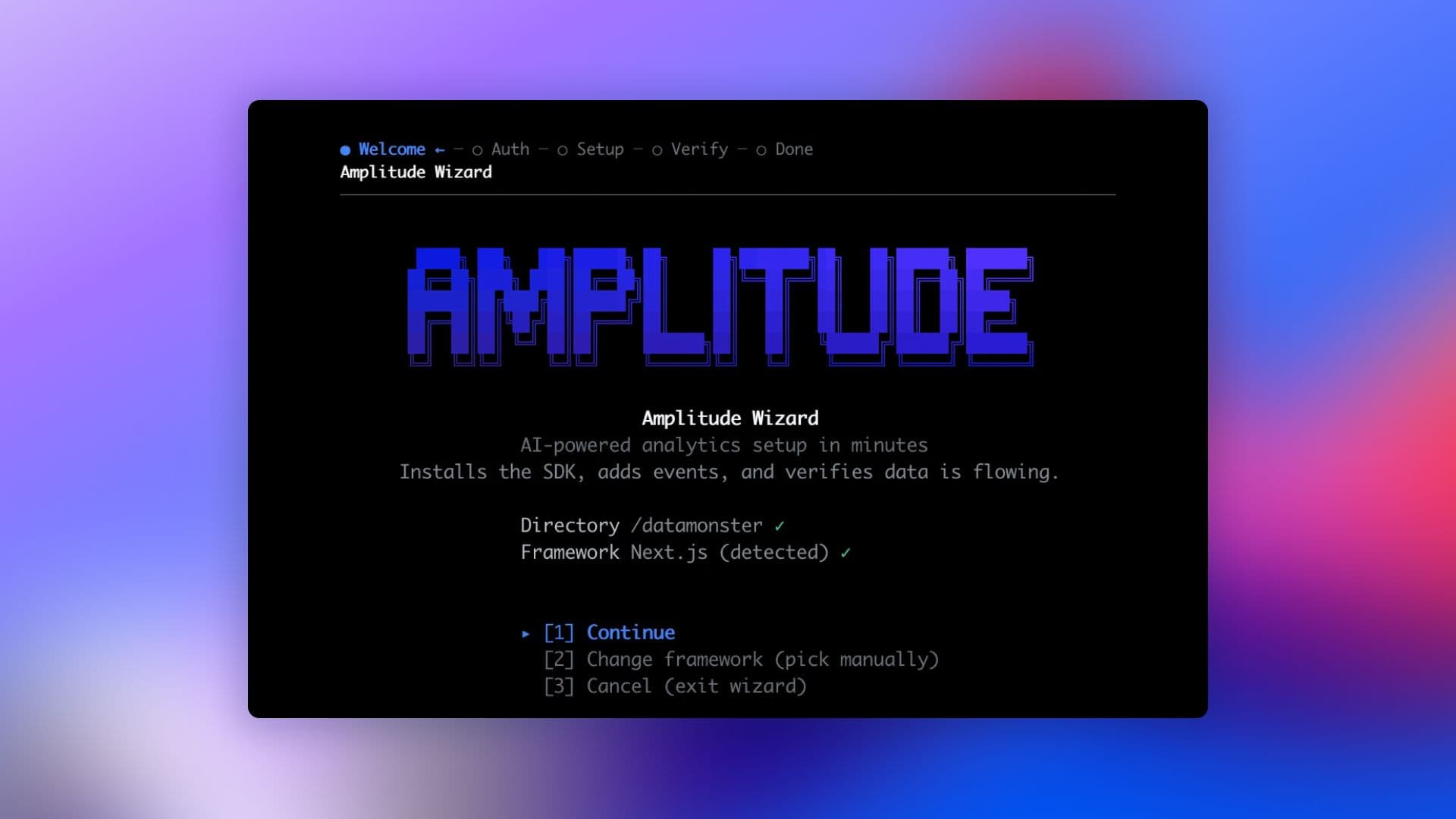
npx @amplitude/wizardWe just shipped the Amplitude Wizard CLI, an AI-powered command-line tool that sets up the Amplitude platform from the heart of your product: your code. It handles sign-up, SDK installation, custom instrumentation derived from your product flows, verification, MCP install, and more.
Today’s Wizard handles setup. Coming soon: every Amplitude operation is a first-class command. Built for developers and the AI agents working alongside them.
Setting up an analytics tool usually looks something like this: one tab for the analytics tool itself, one for developer docs, one for your app, plus your terminal or IDE. You get all that prepped, and you’re about ready to decide where to install the SDK. Then it dawns on you …
What exactly do I need to track? How do I translate my analysis questions into events? What about event properties? Shoot, user properties too?
These fundamental questions are hard to answer if you aren’t already an analytics expert, and the decisions you make today could shape what your data looks like for years. That’s a lot of pressure.
But honestly, you really shouldn’t have to figure this out alone. Your code holds the answers. So we built a setup CLI that starts there.
Figuring out what to track is the hard part, but your code already knows
The whole point of analytics is to answer your top-of-mind product questions. But in order to set up the instrumentation that allows you to answer those questions, you’ve had to get into the technical weeds of what to track and how to track it:
- For a multi-step checkout, do you fire one event per step, or one event with current_step as a property?
- If Autocapture captures clicks, is your custom cta_clicked event a duplicate or a useful semantic layer on top?
- What do you name your events?
All this just to check on your conversion rate? That seems harder than it needs to be. And from instrumenting thousands of products, we realized that it is. Your routes, pages, and key flows already encode your instrumentation answers.
We built the Amplitude Wizard to uncover those answers in your codebase. It reads your code, then proposes and executes a starter tracking plan. And it isn’t just an easier way to build your schema: instrumentation from the codebase is faster, higher-quality, and fits how your product actually works.
Initiating the whole Amplitude platform
To use the Wizard, go into your project and run:
npx @amplitude/wizardAn agent then guides you through a full-scale Amplitude implementation in about 20 minutes or less.
Beyond not having to leave your tools, the thing that really makes the Wizard CLI feel different is that it doesn’t stop at “package installed.” Real instrumentation touches every Amplitude surface, and the code is the only place with enough context to wire all of them in one pass.
What it handles end-to-end
- Sign up or sign in via browser-based OAuth
- Detects your framework
- Supported: Next.js, Vue, React Router, Django, Flask, FastAPI, Swift, React Native, Android, Flutter, Go, Java, Unreal, Unity, plus JavaScript (web and Node), Python, and a generic fallback
- Installs the right SDK with whichever package manager your project already uses: npm, pnpm, yarn, bun, pip, and friends
- Writes the init code and your first events by reading your codebase for context so you’re not starting from a blank track() call
- Configures the power of the Amplitude platform: Autocapture, Session Replay, Feature Experiment, Guides & Surveys, etc.
- Drops the right API key into your .env file (no copy/paste from the Amplitude UI, the Wizard pulls it for you)
- Verifies ingestion by polling until it sees your first event land, so you know it worked
- MCP install for your IDE, so you can query Amplitude from your code, too
- Supported: Claude Code, Claude Desktop, Cursor, VS Code, Zed, and Codex
- Slack integration, so you can share learnings where your team works
Security defaults
- API keys are never printed to the terminal after they’re written to .env
- Logs are redacted
- .gitignore is checked before any key hits disk
- OAuth follows the same browser-based pattern Claude Code uses for auth
- Telemetry can be disabled with DO_NOT_TRACK=1. Diagnostics shared via /feedback are consent-gated.
What’s next for the Wizard
The Wizard CLI is so much of an improvement to traditional setup that it’s our new recommended path to a working Amplitude implementation. We’re not stopping there.
Today’s Wizard is a CLI you run and step through. The custom instrumentation is a first pass. It covers the obvious flows well, but doesn’t yet handle the harder taxonomy work or stay in sync as your code changes.
We’re building to turn the CLI into an engine, and the interface won’t be the CLI for long. It’ll be the AI agent you’re already chatting with:
“Hey Claude, I want to add Amplitude to this app. Go sign up and set it up for me.”
That self-driving version is coming really soon. And once it’s here, every Amplitude operation, not just setup, will become a first-class command the agent can call:
npx @amplitude/wizard        # first-run wizard (today)
amplitude chart list         # list charts
amplitude cohort create      # create a cohort
amplitude experiment deploy  # deploy an experiment
Setup is the first step
The Wizard CLI is useful right now. It will get you set up faster than existing setup options, and we’d love for you to try it. But even though CLIs are a hot commodity right now, the CLI isn’t really the point.
The point is that analytics work belongs in the same place as the code that generates the events. Your IDE is the surface. Your AI coding agent is the interface. Your code is the context. Setup is just the most obvious place to start this mindset shift because it’s the most easily-isolated piece of work, but the same logic extends well past setup.
The setup Wizard makes the first step easier. Everything else gets easier once you realize that this is where the work belongs.
Try the Wizard now:
npx @amplitude/wizard
or read more about it in our docs.
Tell us what’s missing by filing an issue on GitHub, using /feedback within the Wizard, or dropping us a note at wizard@amplitude.com. We’re shipping fast and reading everything.

Cassie Peretore
Senior Product Manager, Amplitude
Cassie is a PM at Amplitude, determined to make it easier than ever to get (great) data flowing in Amplitude.
More from CassieRecommended Reading

Your agent isn’t broken. It’s guessing.
Sep 23, 2026
6 min read

Bring headless Amplitude where you work
Sep 16, 2026
3 min read

Should I install the Amplitude SDK?
Sep 15, 2026
4 min read

Amplitude climbs to #3 in G2 Digital Analytics Momentum
Sep 15, 2026
10 min read